

REMEK! Momentum Pro standalones - Documentation
Part 3-1: The Filters
The Chop Filter
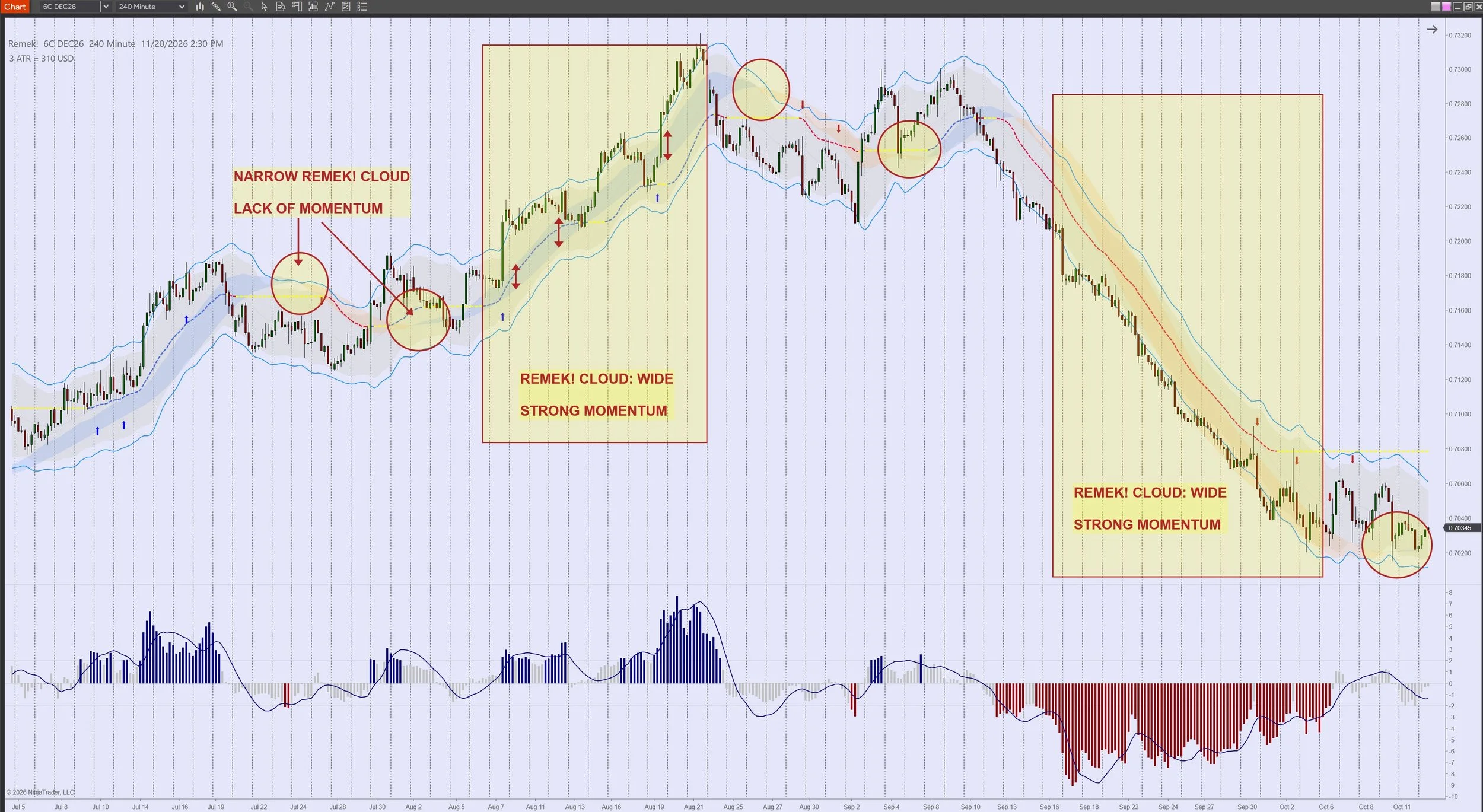
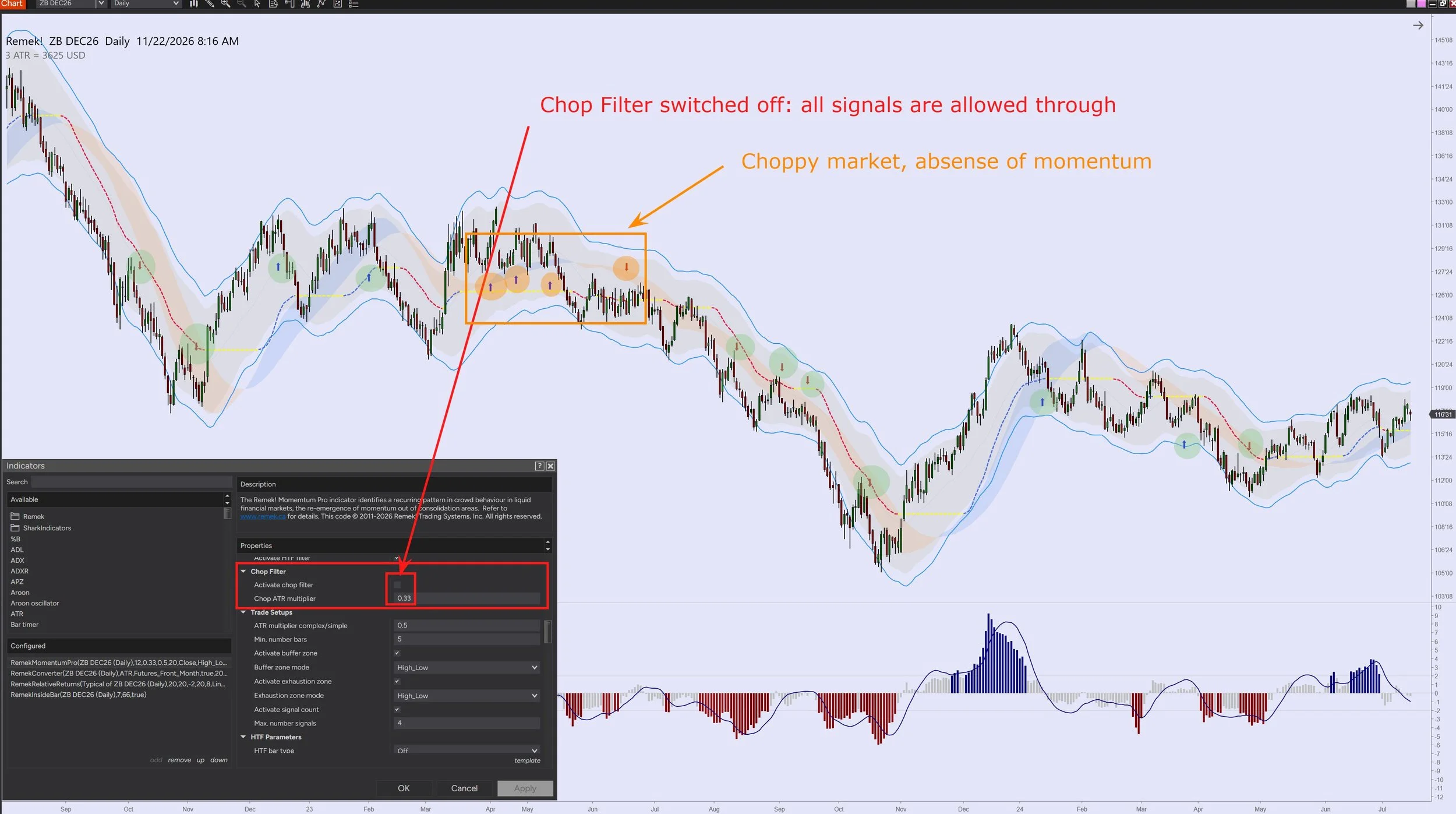
The Remek! Chop Filter is designed to filter out signals in sideways, choppy trading environments by allowing only those signals whose momentum reading exceeds a user-specified value as measured by our linear regression calculation (aka slow trigger or Remek! Cloud).
Thanks to its smart design, the Remek! Chop Filter is self-adjusting, which means that it produces correct calculations on any market and timeframe without having to re-adjust its settings.
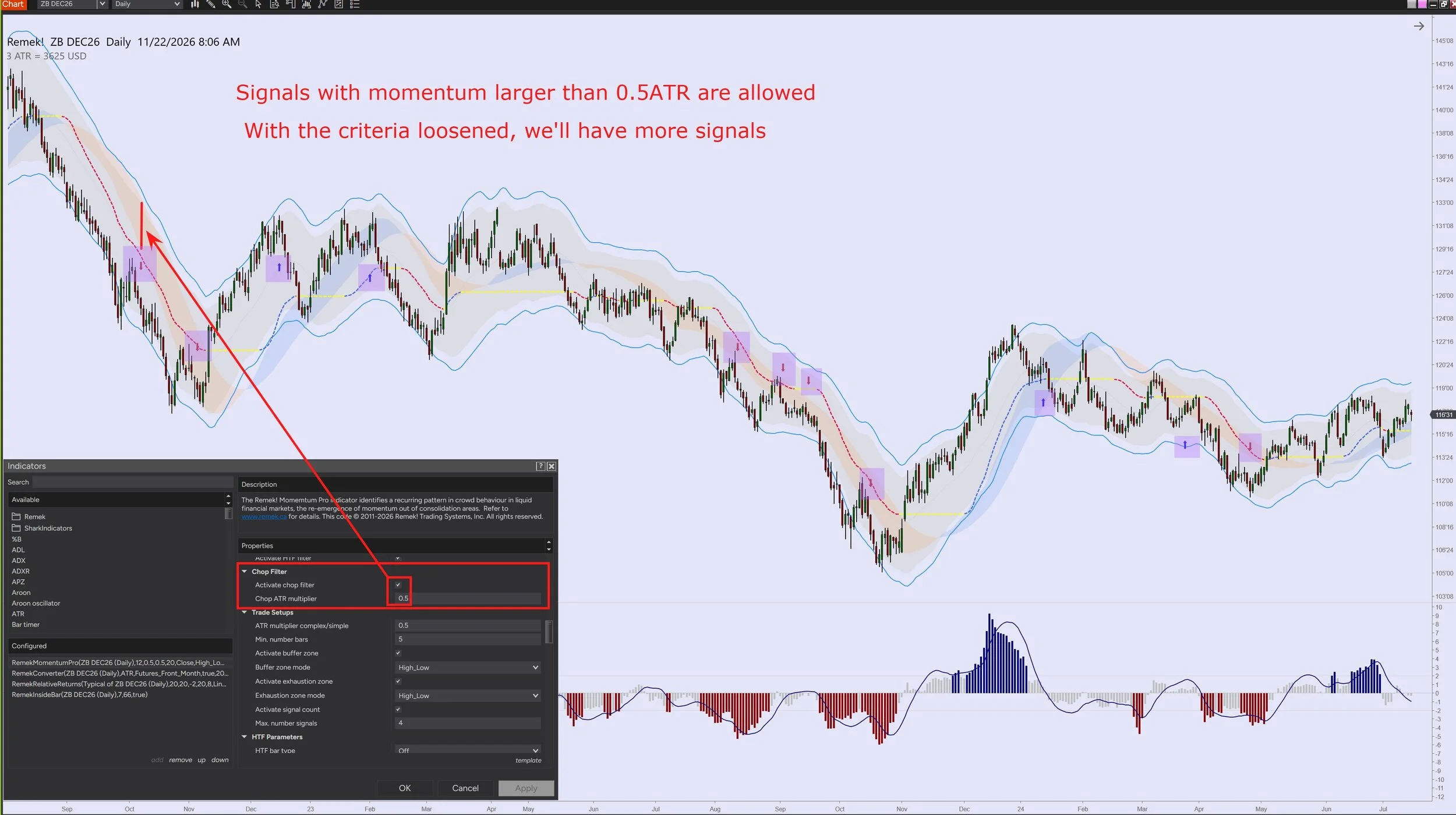
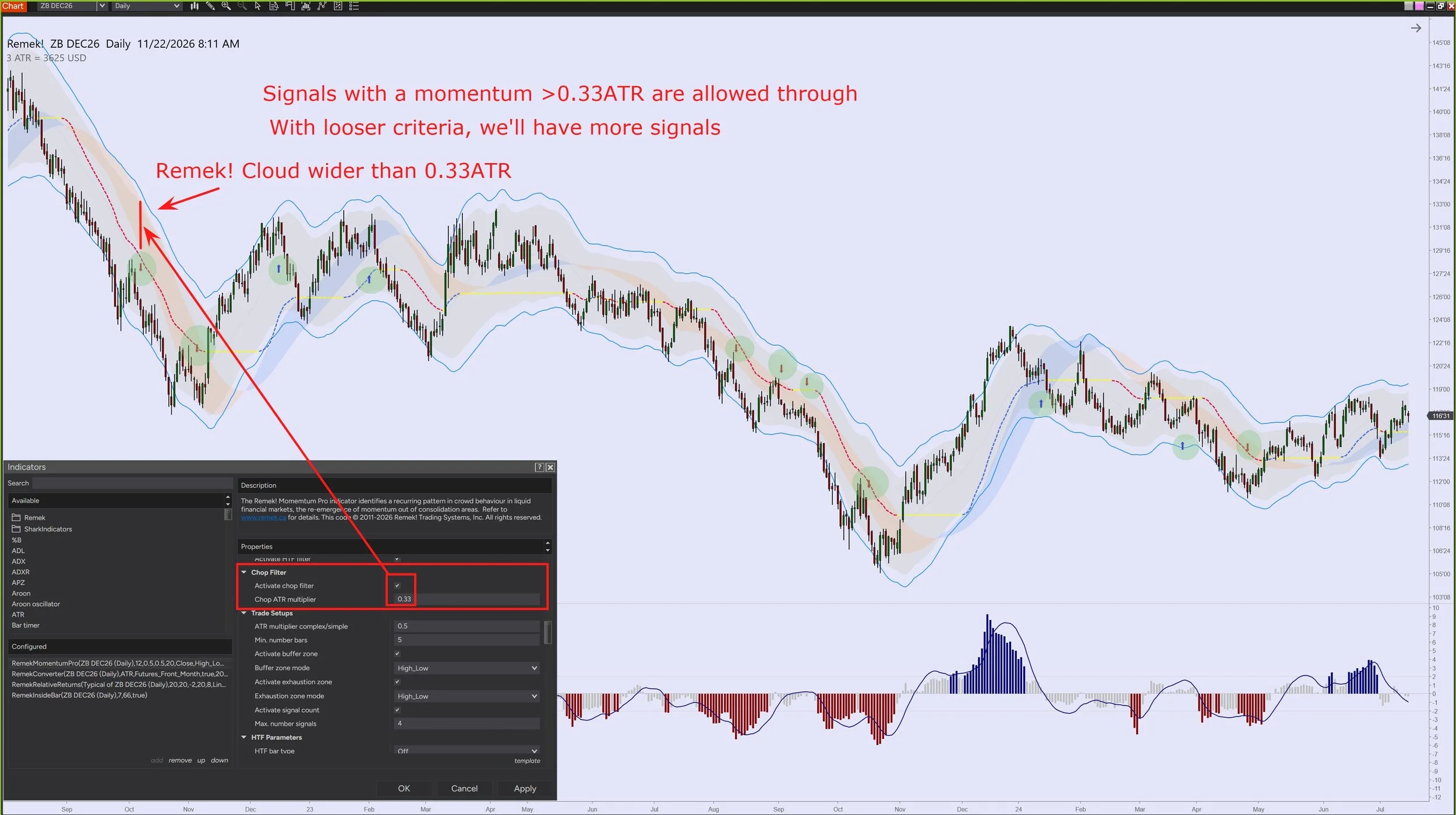
E.g. in the image on the right, we have specified 1ATR as the minimum width of the Remek! Cloud for the signal to pass through the filter. (The higher the ATR multiplier setting, the more signals will be filtered out.) You can experiment with various settings. We have settled for the setting 0.33, which means that for a signal to be allowed through the Chop Filter, a Remek! Cloud must be at least 0.33ATR in width (i.e. one third of an average candle). With this setting, most signals that would occur in choppy environments - those lacking momentum - will be filtered out.
Avoid the chop with math - For educational purposes only. Futures, foreign currency and options trading contains substantial risk and is not for every investor. An investor could potentially lose all or more than the initial investment. Risk capital is money that can be lost without jeopardizing one's financial security or lifestyle. Only risk capital should be used for trading and only those with sufficient risk capital should consider trading. Past performance is not necessarily indicative of future results.
The Remek! Buffer Zone Filter
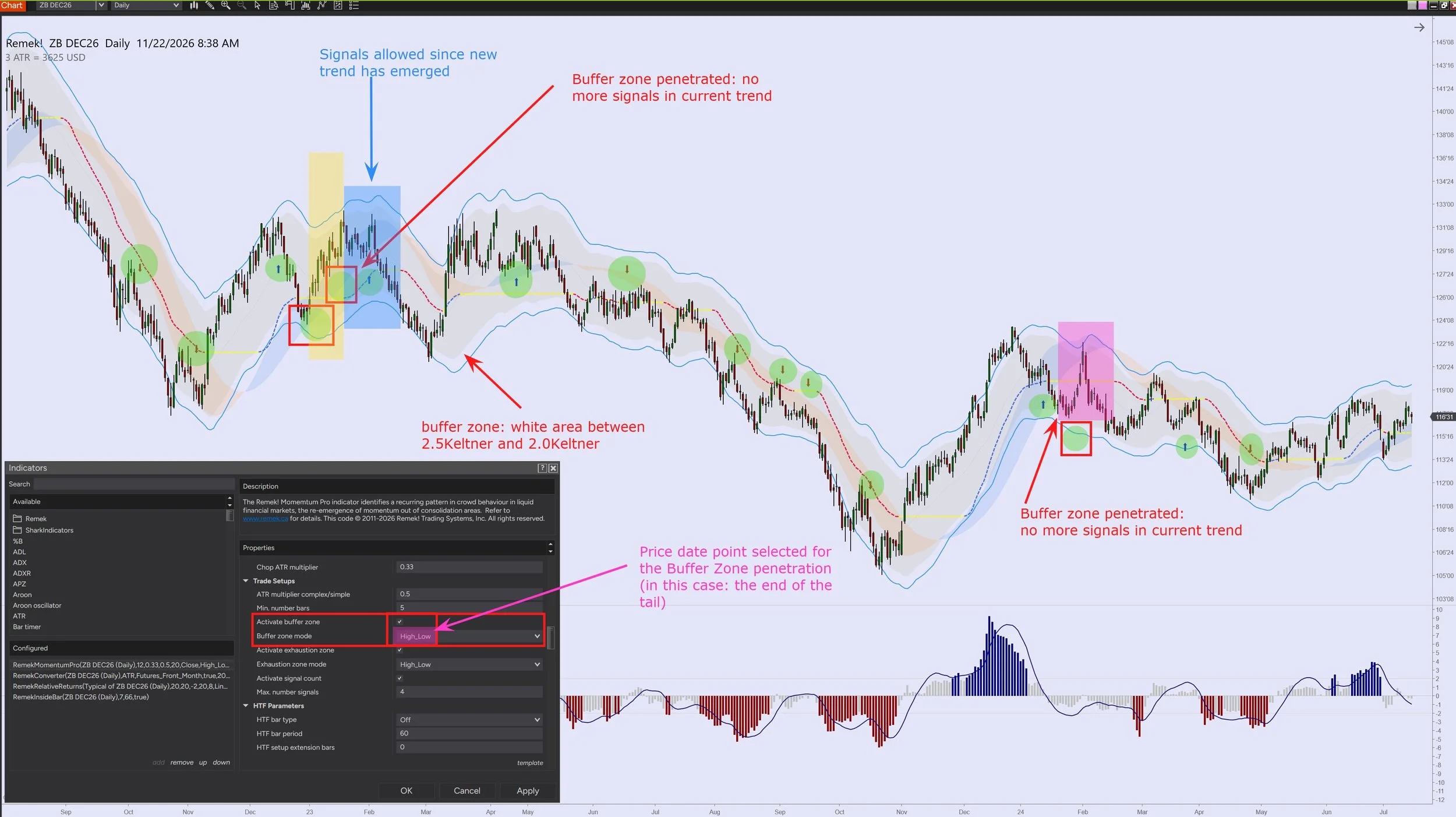
Our Buffer Zone Filter filters out signals that have a diminished probability of success due to the fact that the signal was preceeded by a visit to the opposite Keltner (a strong indication that the current trend is in trouble).
Thanks to its smart design, the Remek! Buffer Zone Filter is self-adjusting, which means that it produces correct calculations on any market and timeframe without having to re-adjust its settings.
When the Buffer Zone gets activated, it will stay switched on for the duration of the current trend, so no more signal will pass through the filter until a new trend has started.
The Remek! Buffer Zone Filter will automatically switch itself off when a new trend develops, thereby allowing signals again.
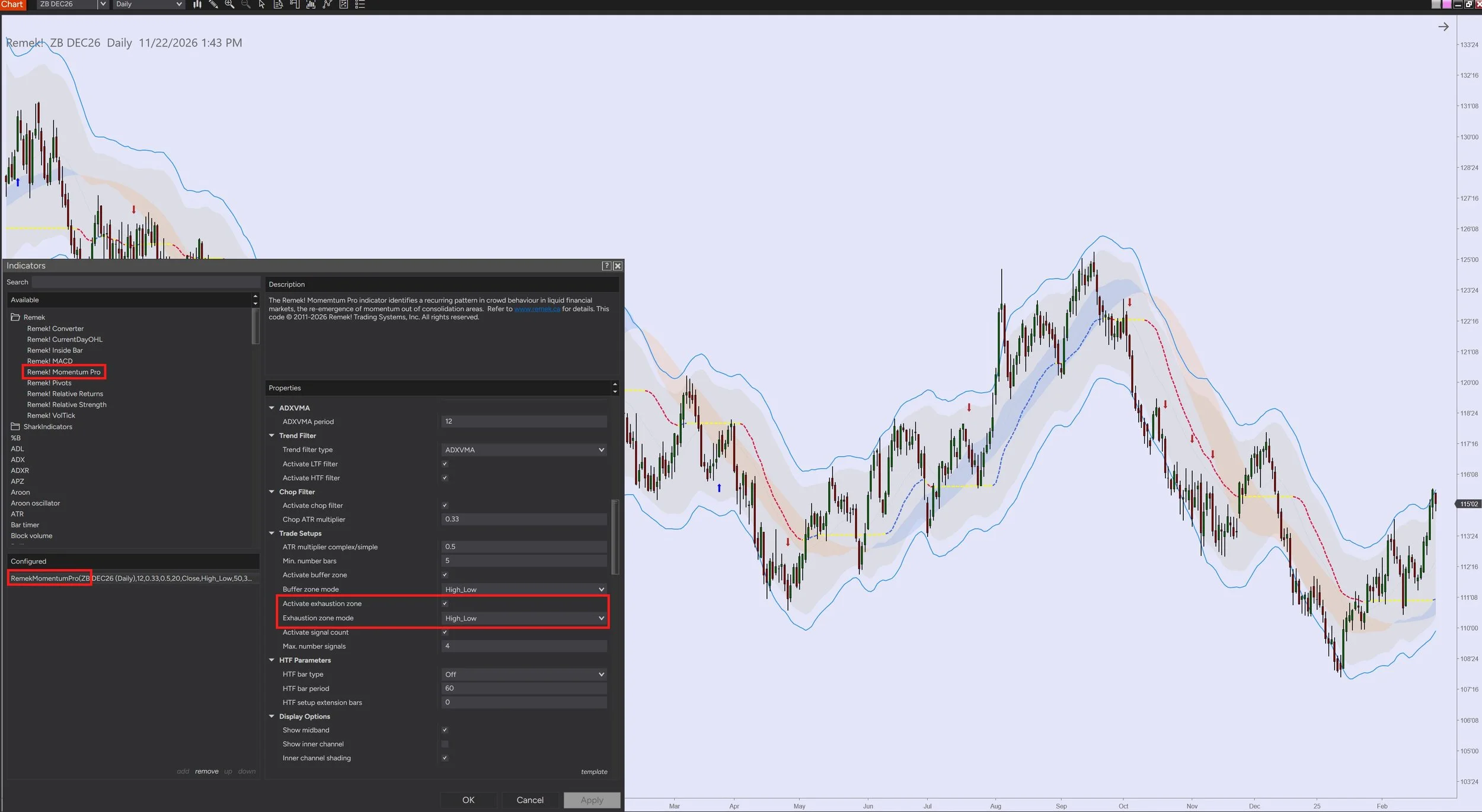
The sensitivity of the Buffer Zone Filter is adjustable by
a) defining the candle’s price data point in the setting Buffer Zone Mode
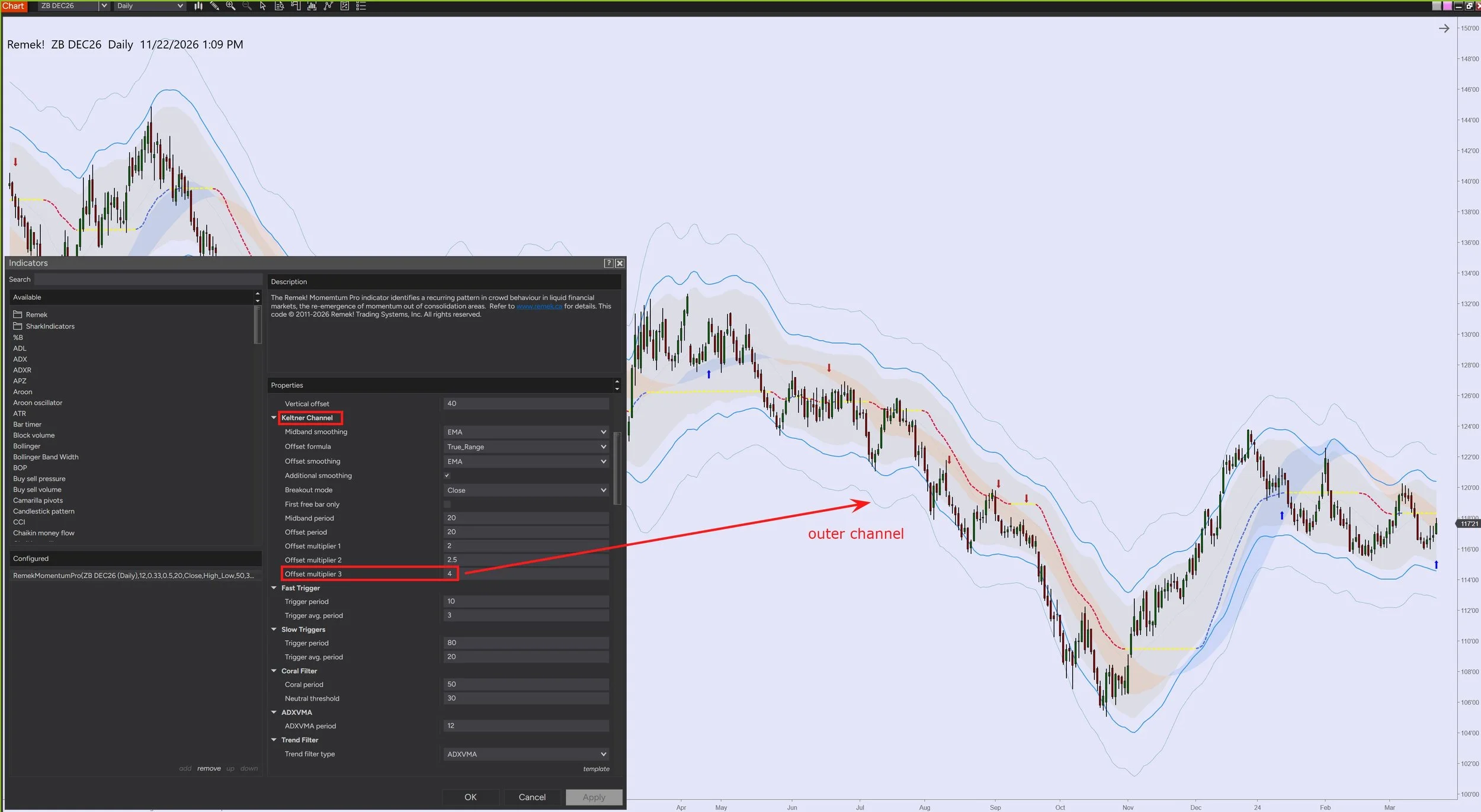
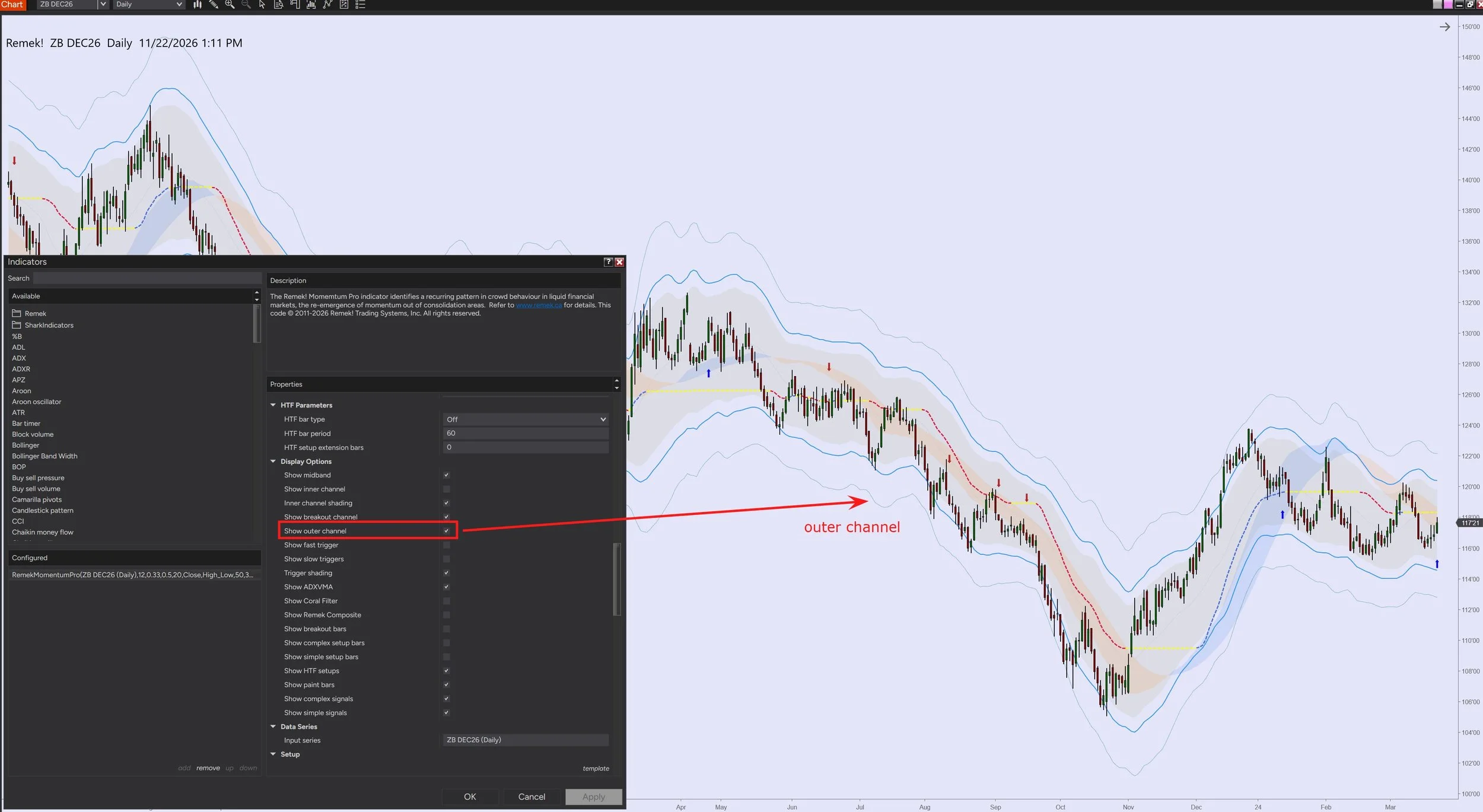
b) and by defining the Outer Channel in the Keltner Channel settings (see below).See further details below:
The Buffer zone filter and the Exhaustion filter explained - Futures, foreign currency and options trading contains substantial risk and is not for every investor. An investor could potentially lose all or more than the initial investment. Risk capital is money that can be lost without jeopardizing one's financial security or lifestyle. Only risk capital should be used for trading and only those with sufficient risk capital should consider trading. Past performance is not necessarily indicative of future results.
The Exhaustion Filter
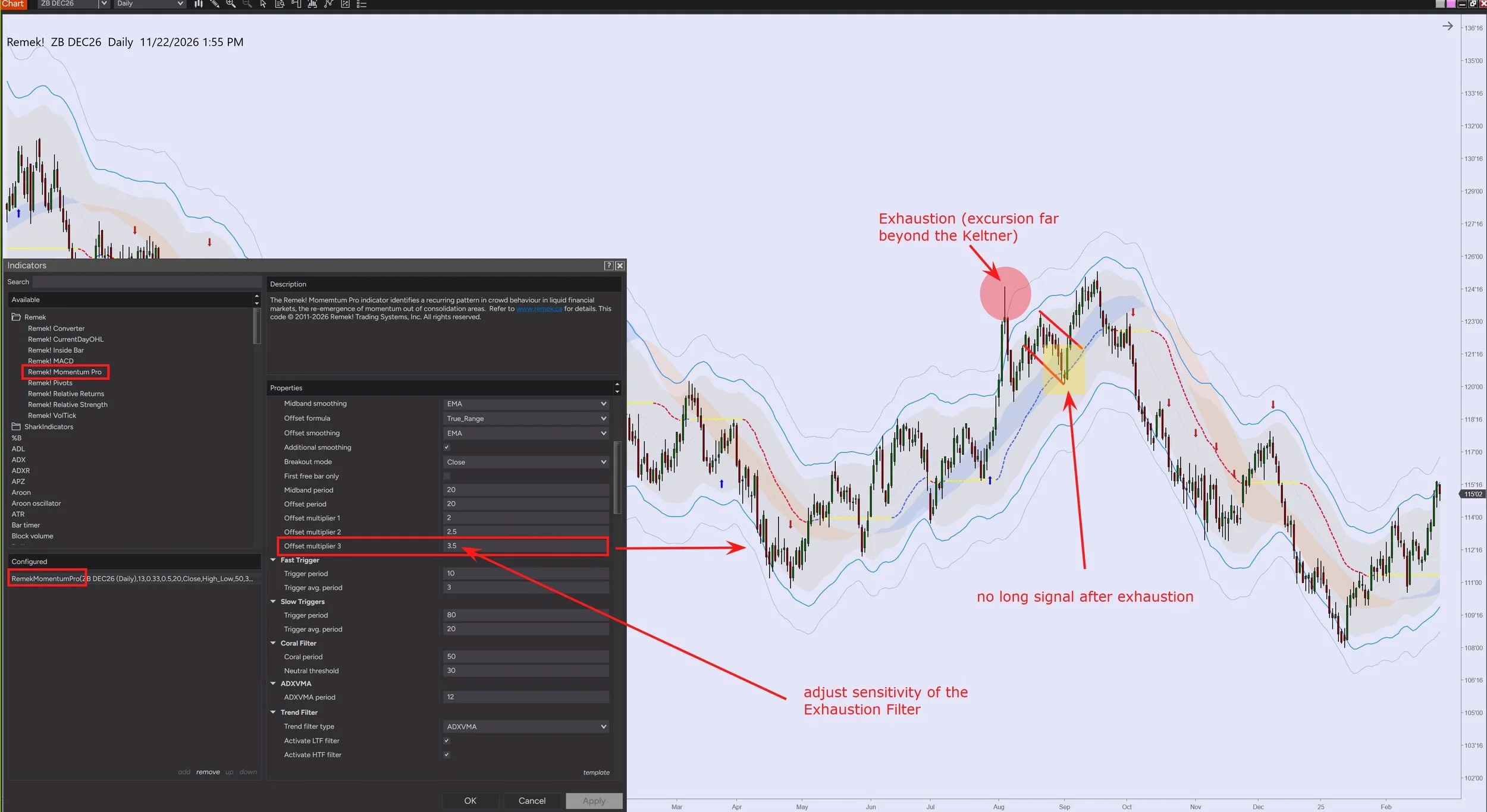
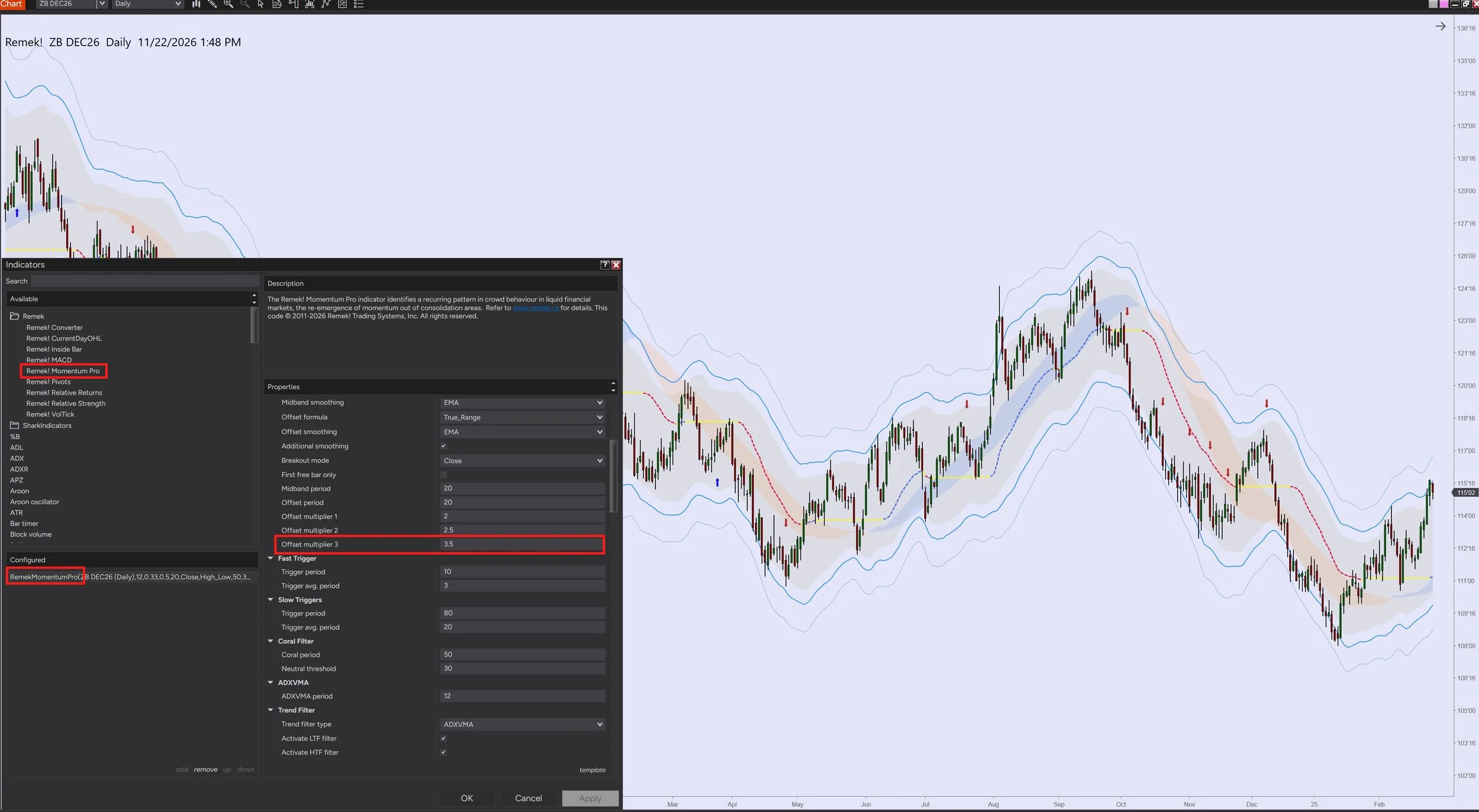
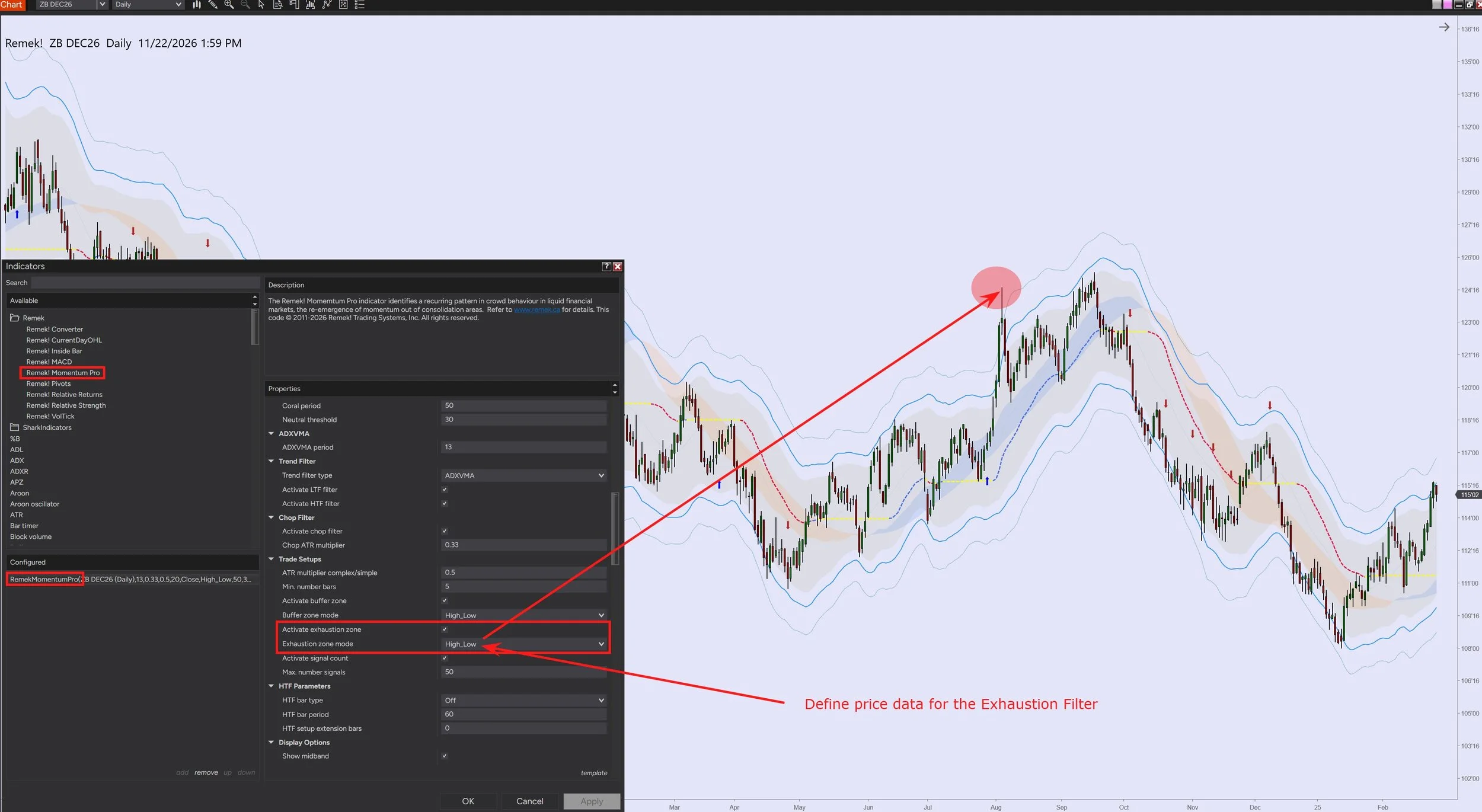
The Remek! Exhaustion Zone Filter blocks signals after exhaustions (aka climaxes), i.e. extreme moves outside the Keltner.
The sensitivity of the Exhaustion Zone Filter is adjustable by
a) defining the candle’s price data point in the setting Exhaustion Zone Mode
b) and by defining the Keltner Channel’s Offset multiplier 3 setting.The Offset multiplier 3 line can be optionally displayed by selecting it in the Display Settings.
The Exhaustion Filter switches itself off automatically when a new trend emerges.
Thanks to its smart design, the Remek! Exhaustion Zone Filter is self-adjusting, which means that it produces correct calculations on any market and timeframe without having to re-adjust its settings.
See further details below:
Questions? Comments? Send us a line!